CRM Rules Flow - Dates (Step 2)
Last updated: April 17, 2026
Guidance on how to configure Step 2 in your CRM Rules flow.
Start Dates
Dates designate the period a contract is active. There are two ways to designate the start date of a contract:
Close Date: The date a contract or contract change is agreed to.
Contract Start Date: The date a contract or contract change takes effect.
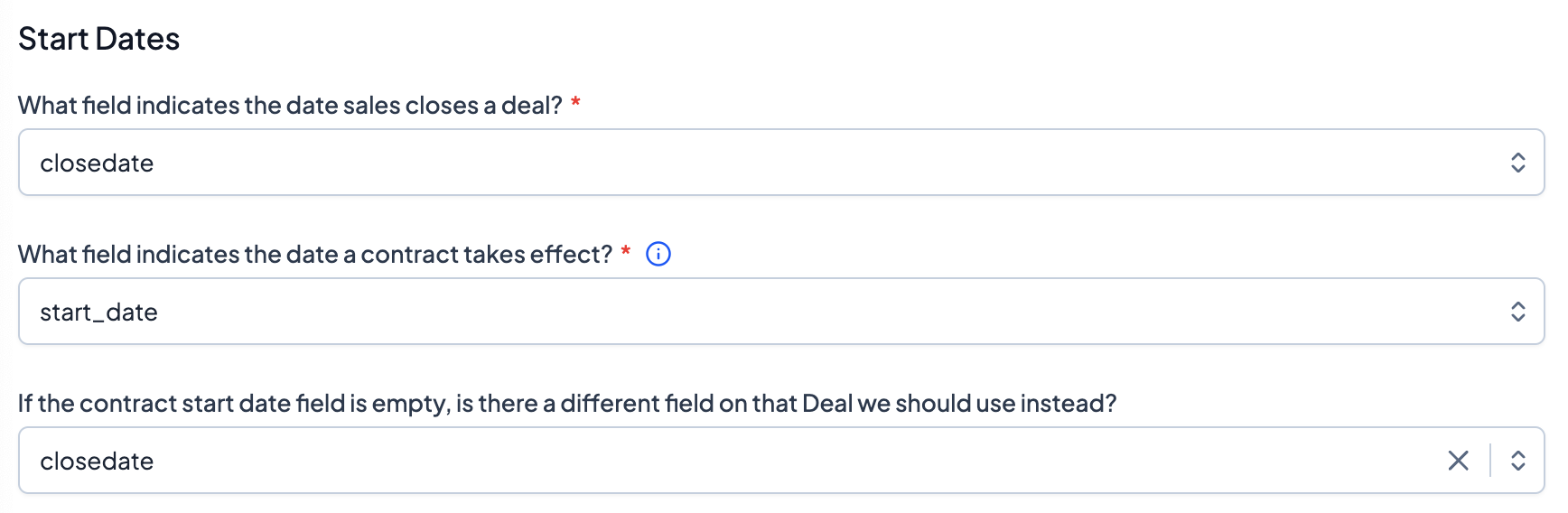
For CRMs, Grid supports day-of reporting. On any given day, your data will reflect contracts where the start date is earlier than or equal to today and the end date is later than or equal to today.
Regardless of whether Close Date or Contract Start Date acts as its start Date, an Opportunity/Deal should always have a Close Date.
In chart settings, you can toggle between using Close Date (Contracted ARR) and Contract Start Date (Live ARR).
End Dates
There are three ways to designate the end of a contract:
Contract End Date: The last day of the contract.
Contract Length: The length of the contract in months from the Start Date. If there is no End Date, Grid will compute it based on Contract Length.
Default Contract Length: The is the length of contracts (in months) that Grid will default to if no End Date or Contract Length is designated.
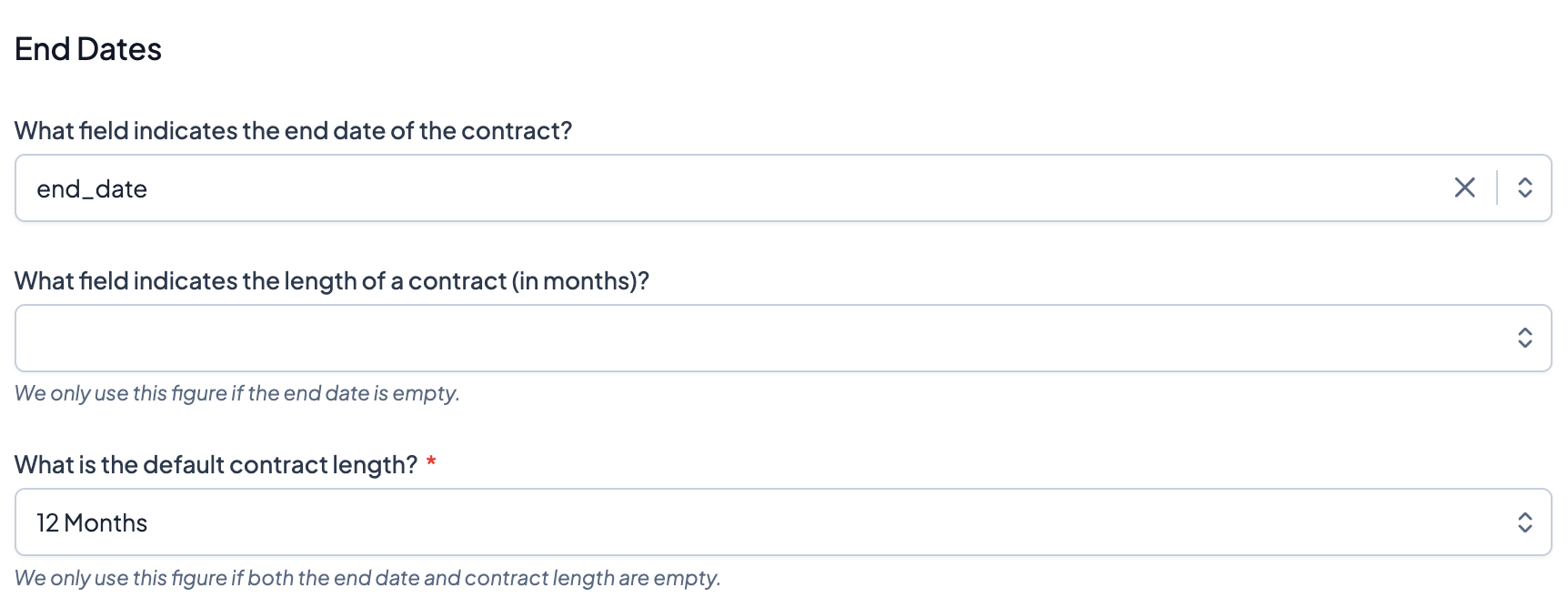
Start and End Dates can be tracked on Opportunities or Opportunity Products. If Start Date or End Date is on the Opportunity level, then those dates will be used for all Opportunity Products associated with that Opportunity.
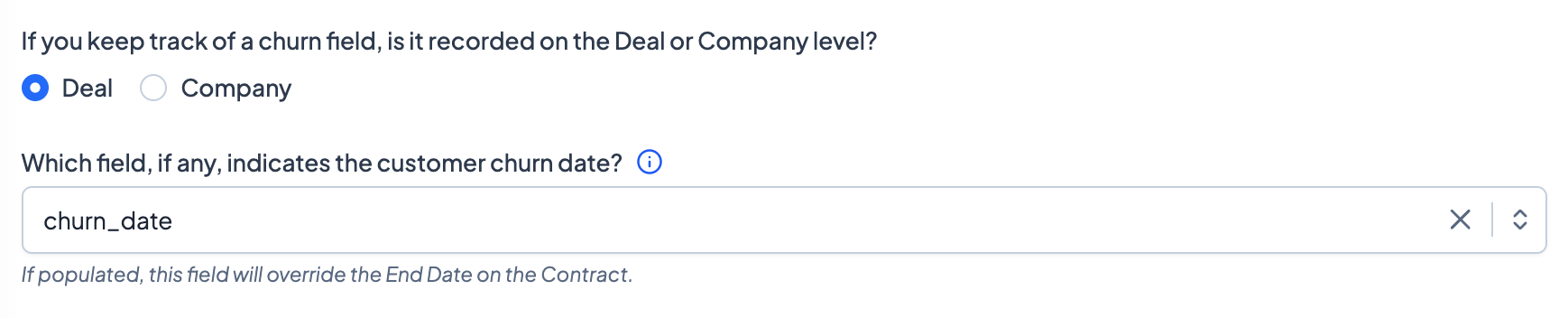
If you have a churn date field for Companies or Opportunity, you can also designate that in Grid. No MRR will be recorded for a Opportunity past an Opportunity churn date. No MRR will be recorded for the entire company past a Company churn date.
Month-To-Month Contracts
Some of your contracts may be month-to-month. Indicate what (if any) Salesforce field signifies a month-to-month contract. Month-to-month contracts run indefinitely until an End Date or Churn Date is populated.

Timezone
Designate a default timezone to display your CRM date fields in throughout Grid.
Contracted Look-Ahead Window
Use this to define a consider contracted ARR within a