FX Adjustments and Movements
Last updated: April 16, 2026
FX Adjustments
FX Adjustments represent ARR using the latest FX rate at each defined interval.
FX Adjustments let you revalue your contracts on a monthly, quarterly, or annual basis using the most recent currency exchange rate. This ensures your ARR reflects updated FX conditions rather than the rate that existed when the contract was signed.
With FX Adjustments enabled, a contract running from January 1 to December 31 can be reassessed at the start of each period (for example, Feb 1, Mar 1, Apr 1) so that its ARR value aligns with updated currency market conditions. Even if the underlying contract value hasn’t changed, FX Adjustments can shift the reported ARR for each month as exchange rates fluctuate.
FX Adjustments apply at the integration level, meaning the setting affects all contracts from that data source. Grid standardizes the FX rate used for each month, ensuring consistency across all contracts in that period.
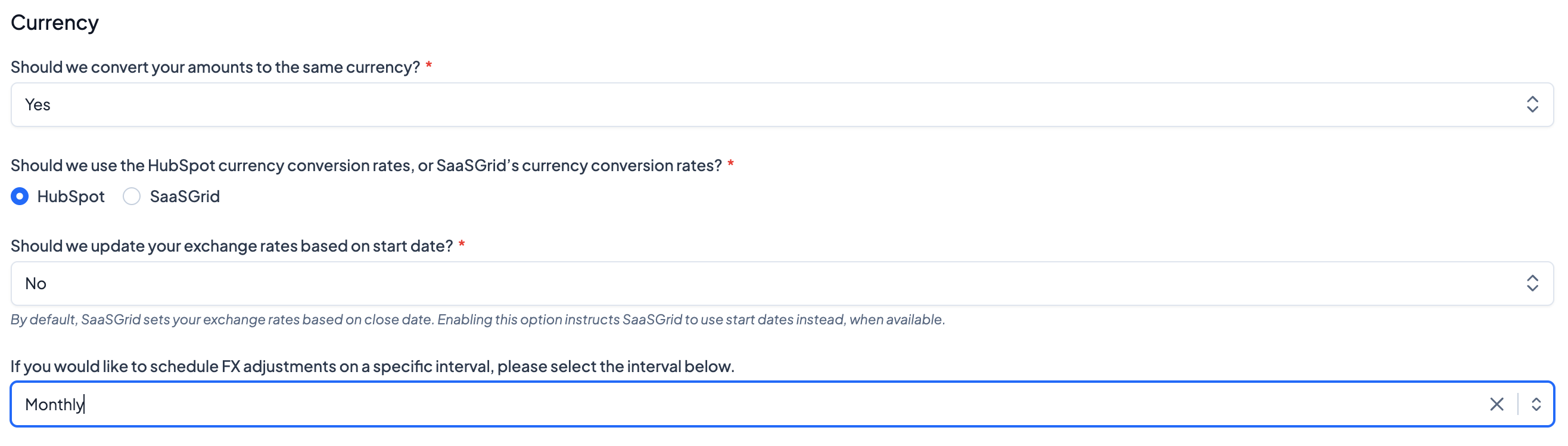
Adjust FX adjustments by navigating to your CRM integration settings: Settings > Step 3 Miscellaneous and scroll to the Currency section.
For the question "If you would like to schedule FX adjustments on a specific interval, please select the interval below.", select the frequency at which contracts should pull the latest currency exchange rate.
FX Movements
FX Movements measure the portion of Expansion or Contraction resulting from changes in FX conversion rates.
FX Movements help you understand how much of your ARR expansion or contraction is driven by currency fluctuations rather than true contract changes. This allows you to separate contract changes from external FX-driven effects within your growth accounting.
For paid invoices, Grid uses the FX rate from the paid date; for unpaid invoices, the create date is used. Because each invoice can have different dates, each one may use a different FX rate. Grid then isolates the difference caused purely by FX and attributes that portion separately in your Expansion and Contraction metrics.
FX Movements are available both as a metric and as an optional setting within your growth accounting configuration.
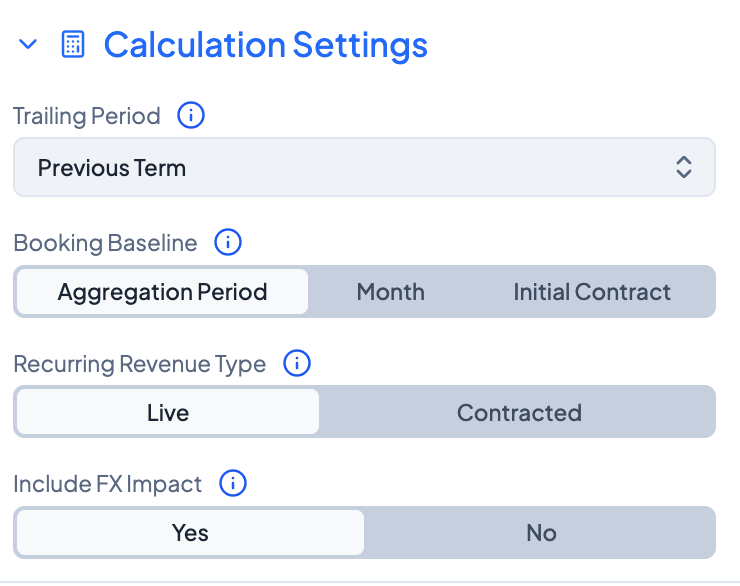
To view FX Movements as a metric, create a chart and search for FX Gain or FX Loss, or create a growth accounting chart by searching for ARR (Growth Accounting) or MRR (Growth Accounting).
To remove (or include) FX movements in Expansion and Contraction, navigate to either Expansion or Contraction in the chart and select if FX Impact should be included or excluded..