Forecast Mode
Last updated: April 16, 2026
Forecast Mode allows CRM customers to incorporate pipeline deals into their ARR and MRR metrics alongside closed won deals, giving you a single view of current and projected revenue.
Requirements
Forecast Mode is only available for customers with an active CRM integration. To set up a CRM integration, navigate to Data in the left navigation pane and select your CRM.
Enabling Forecast Mode
Forecast Mode is available as a setting within any ARR or MRR metric.
To enable it:
Open or Create a Chart with an ARR or MRR metric.
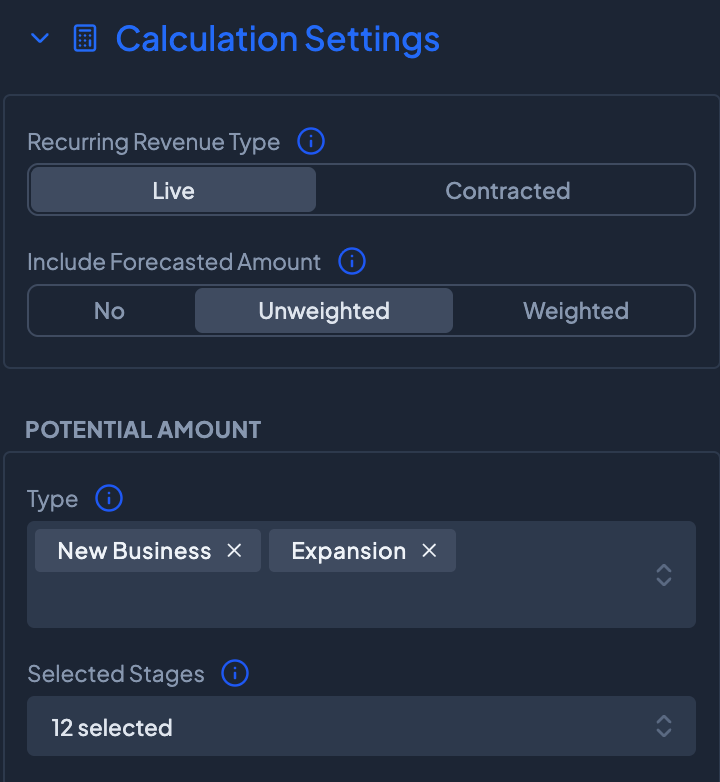
Navigate to Calculation Settings under the ARR metric. Under Include Forecasted Amount, select either Weighted or Unweighted to indicate how the Pipeline Amount should be included in the metric. Select the record types and stages to include CRM deals or opportunities.
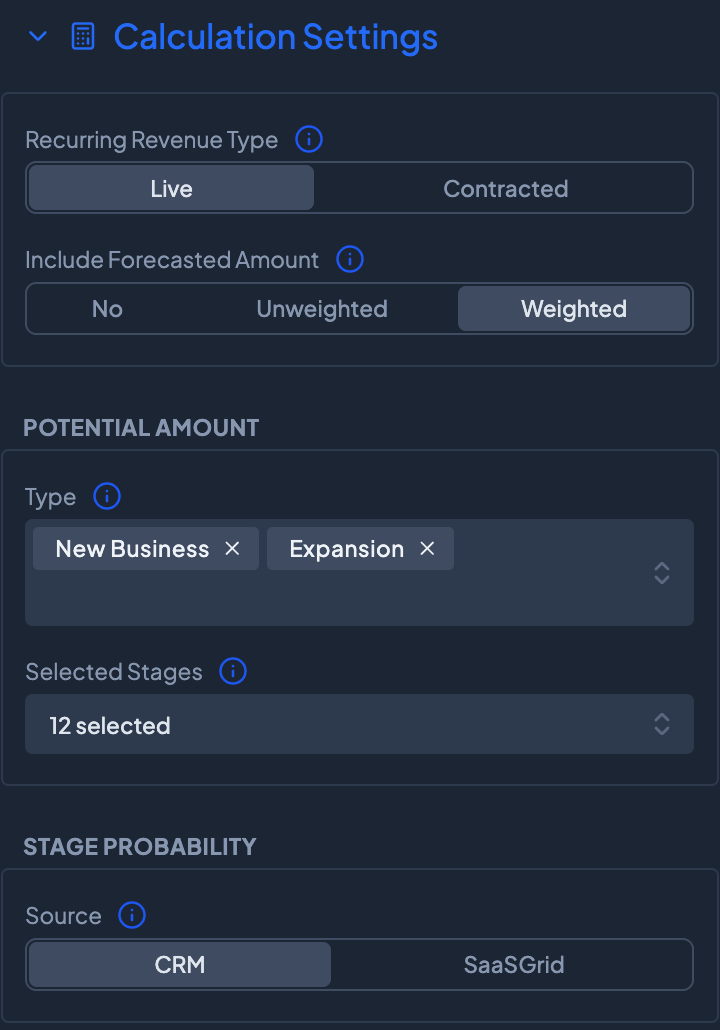
If Unweighted is selected, Grid will optionally allow CRM default or Grid calculated stage probabilities for forecasting. Select the Source as CRM or Grid.
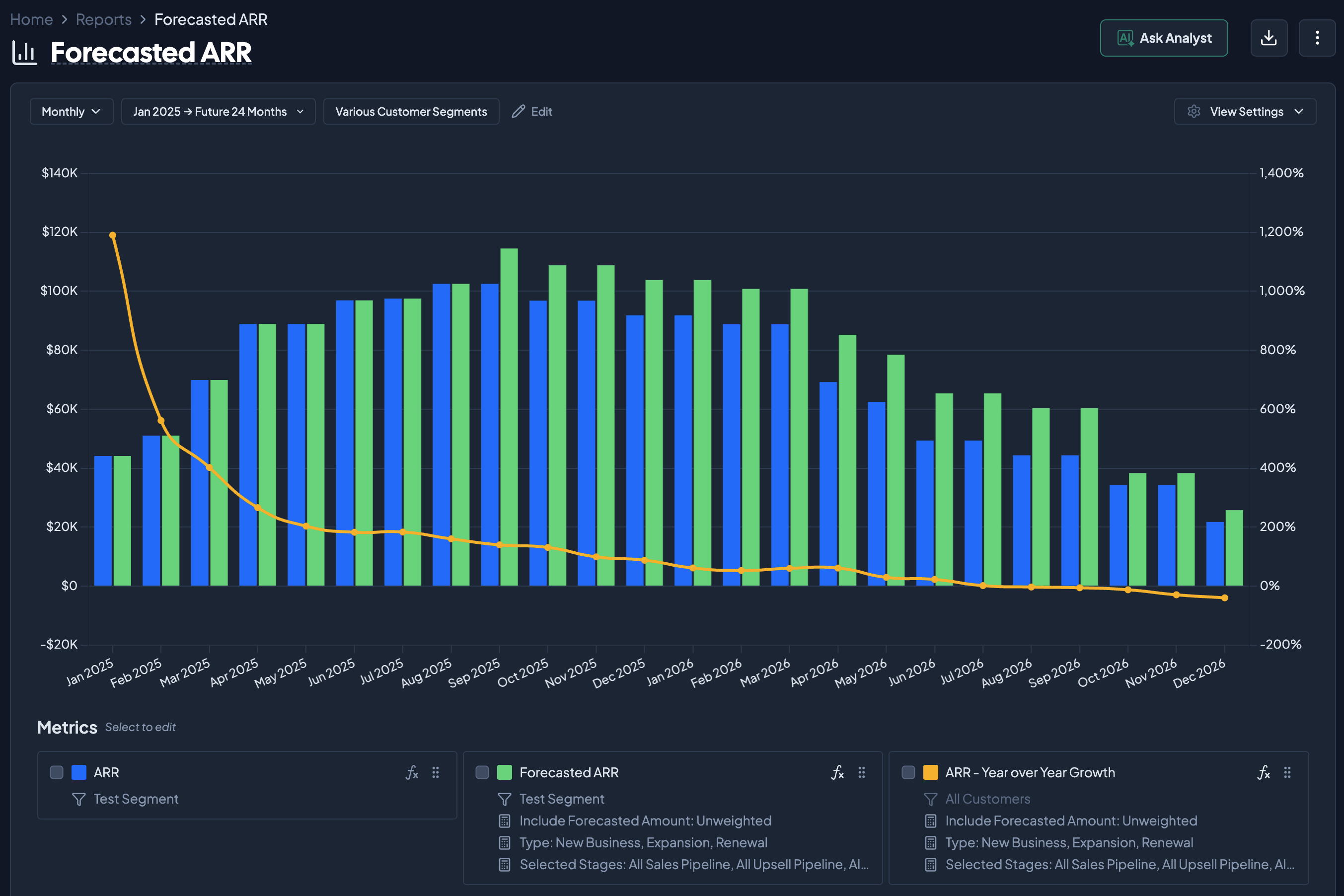
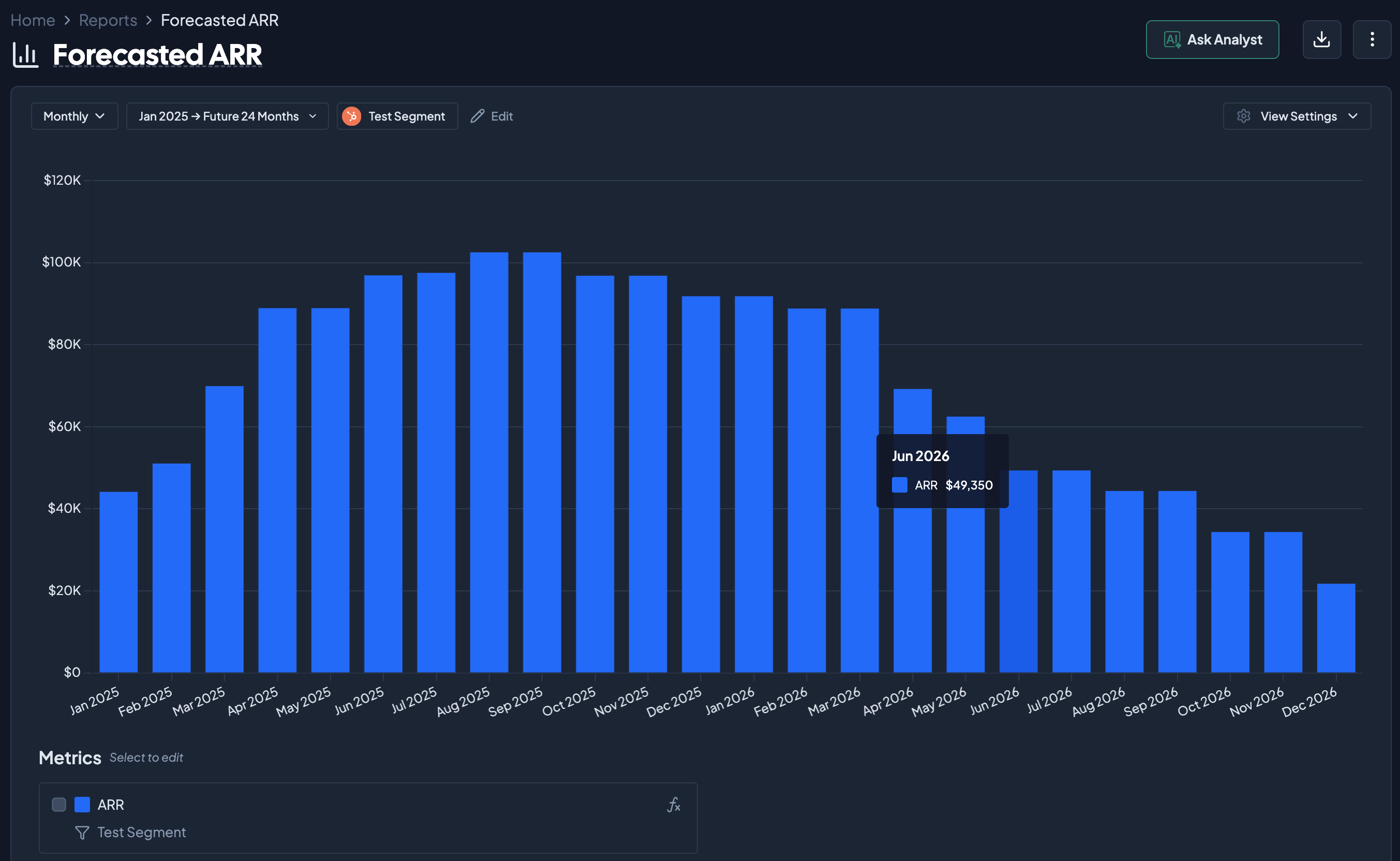
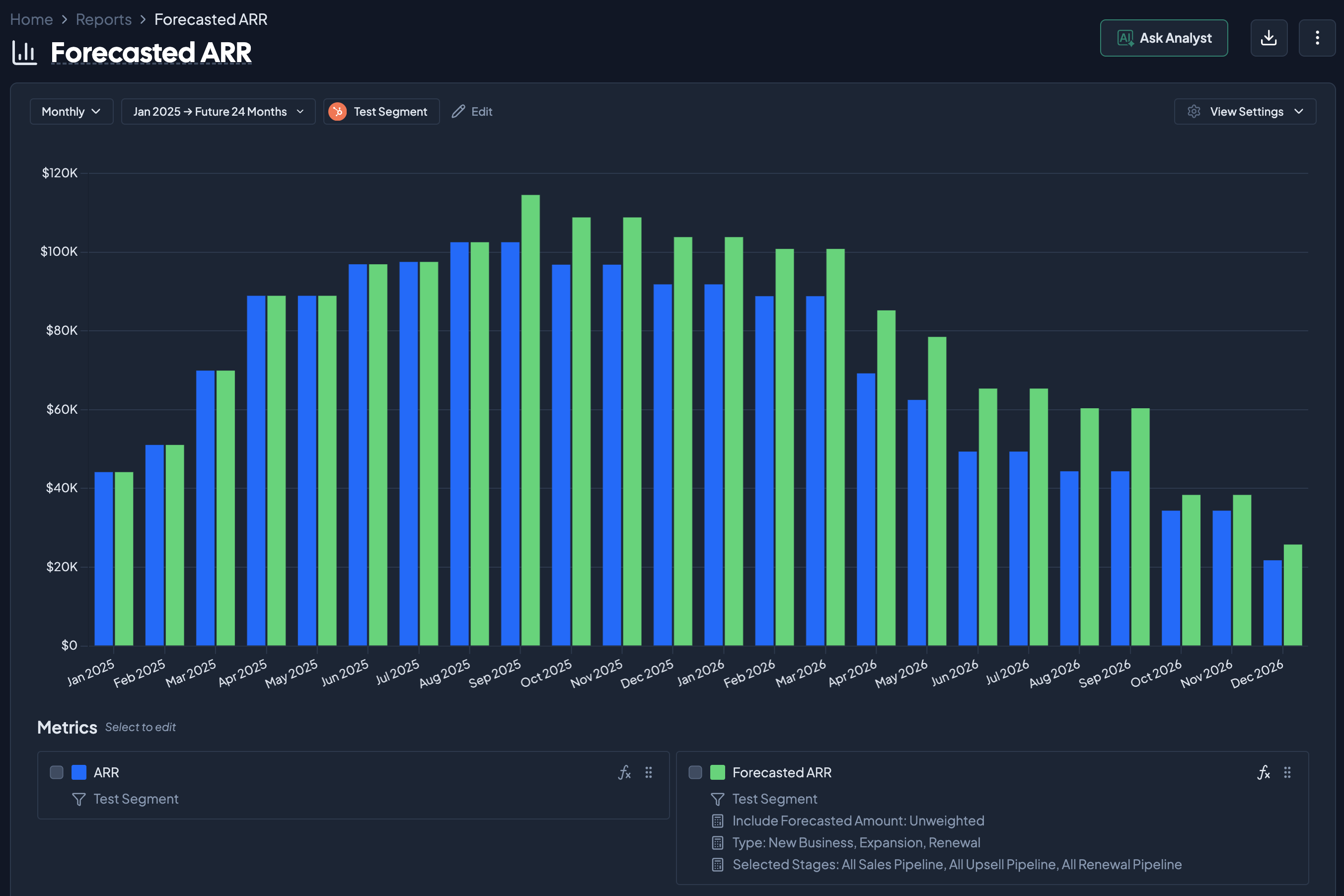
Adding in a new ARR metric with this segment shows the difference in Forecasted ARR and ARR. Forecasted ARR (shown in Green) incorporates the pipeline deals from the CRM data source.
Other Forecast Metrics
With Forecast Mode enabled, other metrics can also be forecasted using the ARR projection. In the chart below, % Growth Year over Year incorporates the Forecasted ARR metric, allowing a projection for future periods based on Pipeline deals.