Subscriptions vs Invoices
Last updated: February 26, 2026
By default, Grid combines subscription revenue data with non-subscription payments from Stripe for full visibility into revenue. However, if you only use Stripe for sending invoices, you will have to do some additional mapping for Grid to successfully convert those to MRR.
Navigate to Organization Data on the bottom left and then to Data Sources. Select your Stripe Data Source.
Navigate to the Settings tab and then select Non-Subscription Items on the right-hand panel.
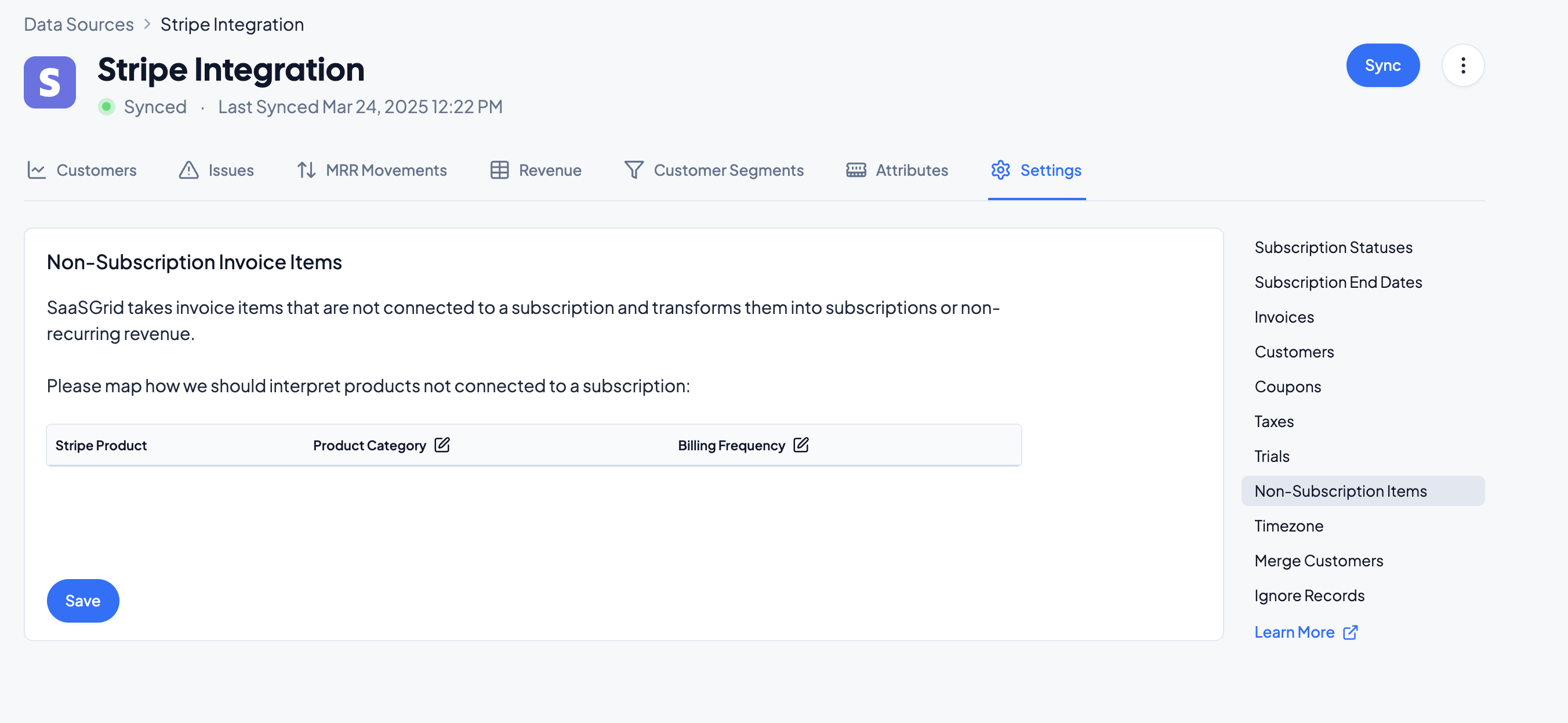
For each Stripe Product, select how Grid should treat revenue from the product. Grid will recognize the revenue based on the following methodology:
Revenue Mapping
Meaning
Example Product
Licensed
Recurring revenue for a subscription product
Annual platform fee
Non-Recurring
Non-recurring revenue for a one-time payment
Implementation fee
Metered
Usage-based revenue based on consumption of services
Cloud computing services
Ignore
Grid will omit this product from calculations
Internal testing data
Categorize your Products accordingly and click Save.